

How to fund an account?
Funds can be deposited using the following methods:
- Bank transfer
- ELQR
- Cryptocurrency
How to deposit funds via bank transfer?
To deposit funds via bank transfer:
- Go to Deposit and select Bank Transfer.
- Fill in the required fields:
- Currency
- Bank details
- Deposit amount
- Comment (optional).
After all required fields are completed, click Generate Invoice and confirm the operation.
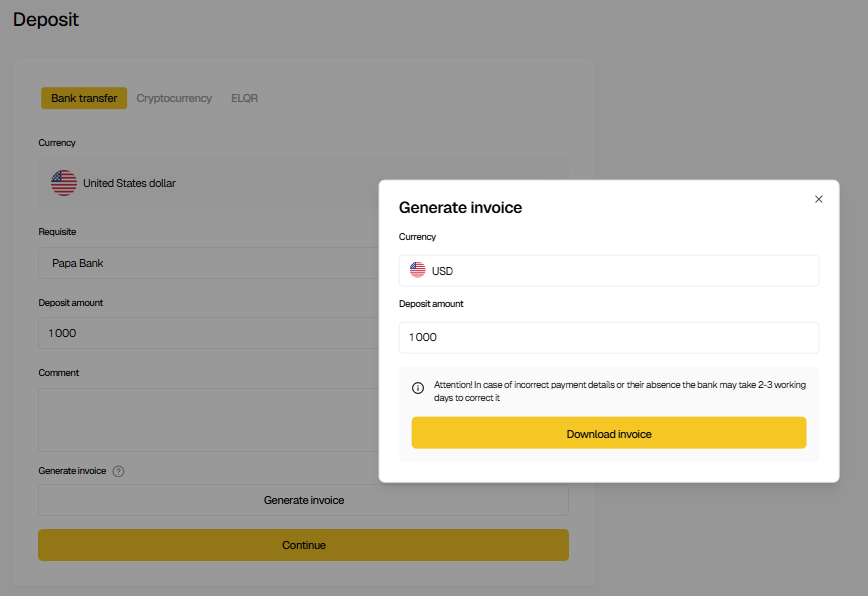
On the confirmation screen, the following details are displayed:
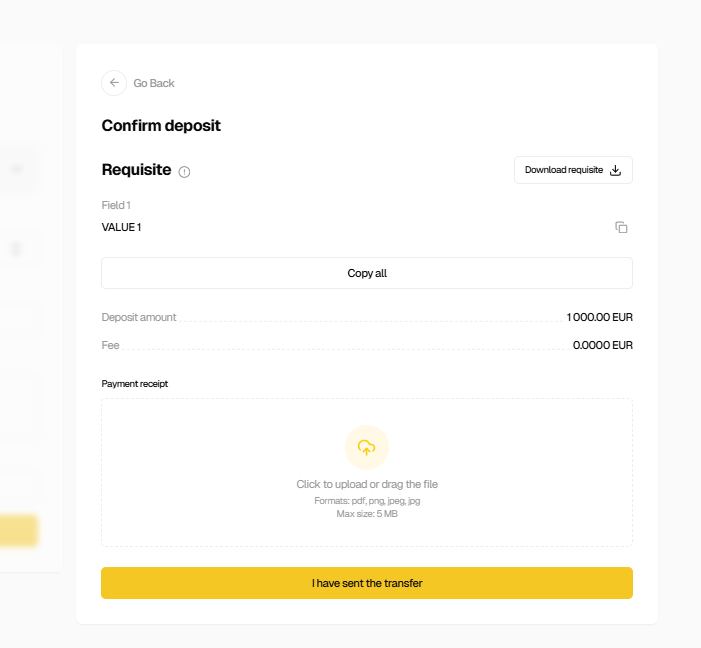
- On the confirmation screen, ensure all data is filled in correctly and generate the invoice.
- Complete the bank transfer using the provided requisites.
- Click “Continue”, upload the bank transfer receipt, and click “I have sent the transfer”.
After this, the deposit request will be sent to the staff. The operation status can be tracked in Transaction History.
How to deposit funds via ELQR?
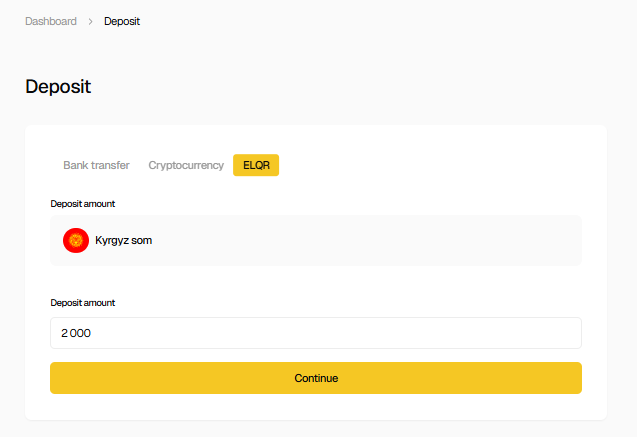
- Go to Deposit and select ELQR.
- Enter the deposit amount and proceed to payment.
Select the payment method and bank, then complete the payment.
The balance and deposit history are updated automatically after successful payment.
How to deposit cryptocurrency?
- Go to Deposit and select Cryptocurrency.
- Select the required cryptocurrency and network.
- Use the wallet QR code or copy the wallet address.
- Send funds strictly via the selected network.
After confirmation, the transaction status is available in Transaction History.
Important: Sending funds to an incorrect address or via the wrong network may result in loss of funds.